Time tracking for video editors
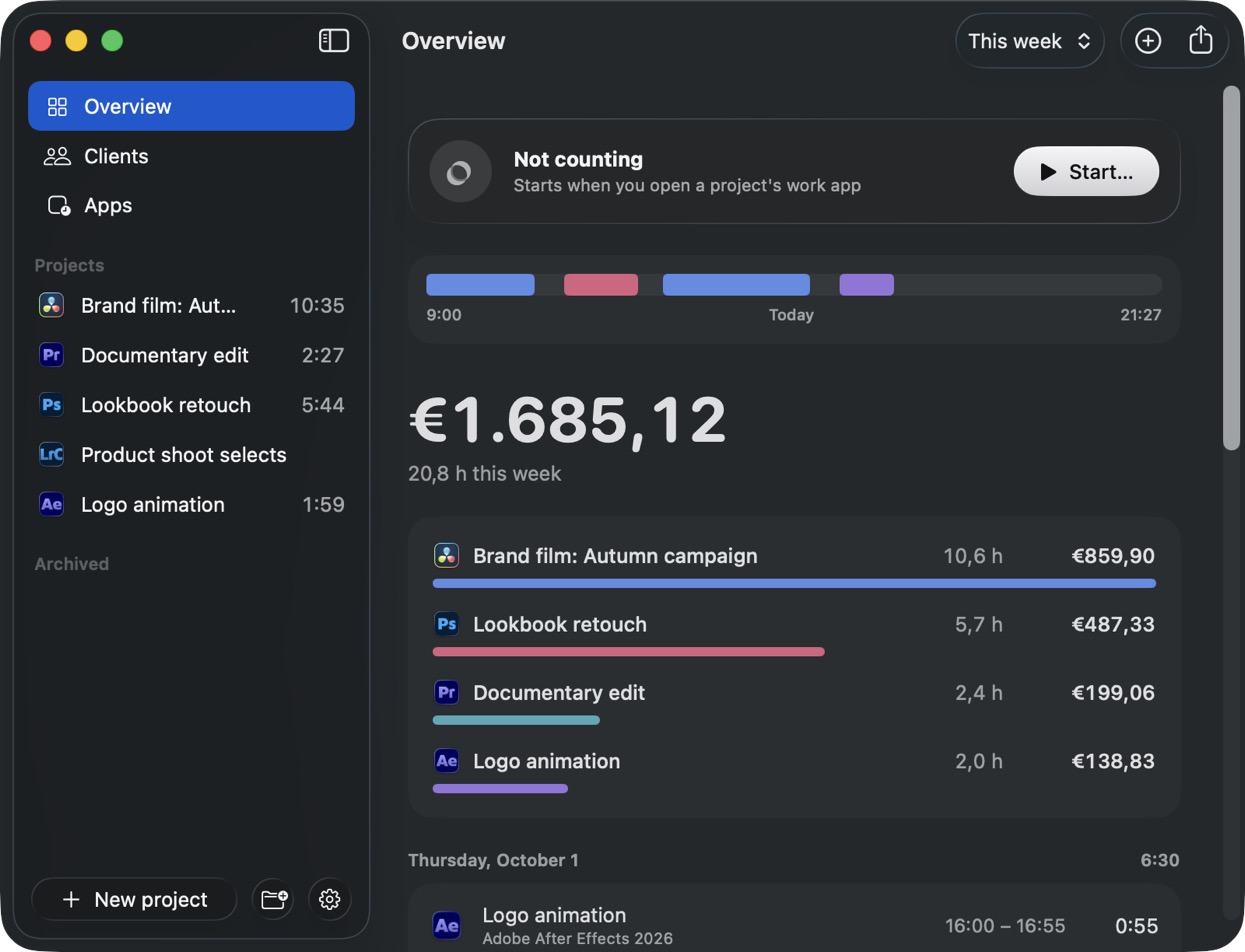
A time tracker that actually works.
Stop guessing how long your projects really take.
14 days free, no card. Then €24.99 once. For macOS 15 Sequoia or later.
Stop guessing how long your projects really take.
14 days free, no card. Then €24.99 once. For macOS 15 Sequoia or later.
How it works
Set up in a minute. Tell it your name, tick the apps you work in, done. From then on it runs quietly in the menu bar, and asks which project the moment you open one of them.
 Brand film: Autumn campaign
Documentary editcounting now
+ New project
It asks once. Then it knows.
Brand film2:14 Lookbook retouch1:15
Switch projects, it follows. Walk away, it pauses.
DaVinci ResolveThu2:01 Premiere ProWed0:42
Sold eight days? It took nine and a half.



 and any other Mac app
Only the time you're actually working
The same Monday, tracked two ways. A timer keeps going through coffee, lunch and email. Paidtime pauses the moment you walk away, swipe to another desktop or click another app on your second screen, and picks up again when you're back in the work.
One timer, one project, stopped when you remembered.
Know before you quote
Coming back to a project after a few days? Paidtime asks if a new feedback round started and counts each one on its own, so your next quote is based on what rounds really cost.
New · Phases
Turn on phases for a production and Paidtime splits the time by itself. Open DRIFT and it's pre-production. Open Resolve and it's post. It only asks "Which phase?" when your apps can't tell.
Off by default. Ready-made phases for film, web, product, brand, photo and music, or make your own.
Not only at your desk
Work isn't only time in your editing app. Paidtime asks about the rest, so it ends up on the right project.
Zoom, Microsoft Teams, Meet, FaceTime: it asks which project as the call starts.
When a calendar event ends: was it work, and for which project?
A phone call, a trip, an email: pick what it was, how long and which project.
Features
At 80% of the agreed days.
You choose after how long.
Even with several open in Premiere.
Per client or per project.
Its logo, its projects, what it brings in.
Sign in on each Mac and your hours are the same everywhere. Backups stay on your Mac.
New · Paidtime Teams
For studios and small crews on Macs. Everyone's Paidtime counts the minutes on the team's projects by itself, and you see who worked on what, when and for how long. Nobody presses start.

 YouOwner
 Mila JansenAdmin
 Joris BakkerMember
 Sanne de VriesMember
Invite people with a link in their email.
Joris✓SanneMila✓People only see the projects they're on.
Mila31:15You14:30Joris9:00Per person, per project, per day.
On team projects everyone gets the full Paidtime: it knows which project they're in, counts only the time they're actually working, and keeps feedback rounds and phases apart.
Set one up once. It shows up on every Mac.
People only get the projects they work on.
Who worked on what, when, and for how long.
A month of a project's hours as a CSV.
Your team sees days against the budget. The money stays with you.
Own projects, apps and documents never leave their Mac.
Only the project and the start and end times go to the team.
Compare
| Paidtime | Timer apps | Automatic trackers | Spreadsheet | |
|---|---|---|---|---|
| Nothing to start or stop | ✓ | — | ✓ | — |
| Knows which project you're in | ✓ | — | — | — |
| Notices when you switch projects Beta | ✓ | — | Sort it out later | — |
| Hourly, day rate and fixed fee | ✓ | Mostly hourly | Mostly hourly | By hand |
| Lives quietly in the menu bar | ✓ | Some | ✓ | — |
Pricing
Personal One-time fee
€24.99 once
Pay once for one person. No subscription.
Like it? Buy it in the app, with your account. Your hours all stay.
A friend shared Paidtime with you, so you get 10% off when you buy.
Team
€49 a year
Up to 3 teams of 5 people. Need more? Get in touch.
Already have Paidtime? Sign in under Settings › You, then Start a team.
On Windows? Vote, and we'll build it once enough people ask.
Vote for WindowsFor macOS 15 Sequoia or later · Full refund within 14 days · Signed by Apple · Lost your key?
Using Paidtime? Review it on Trustpilot